
 Gusto
Gusto ADP
ADP Paychex
 QuickBooks
 Rippling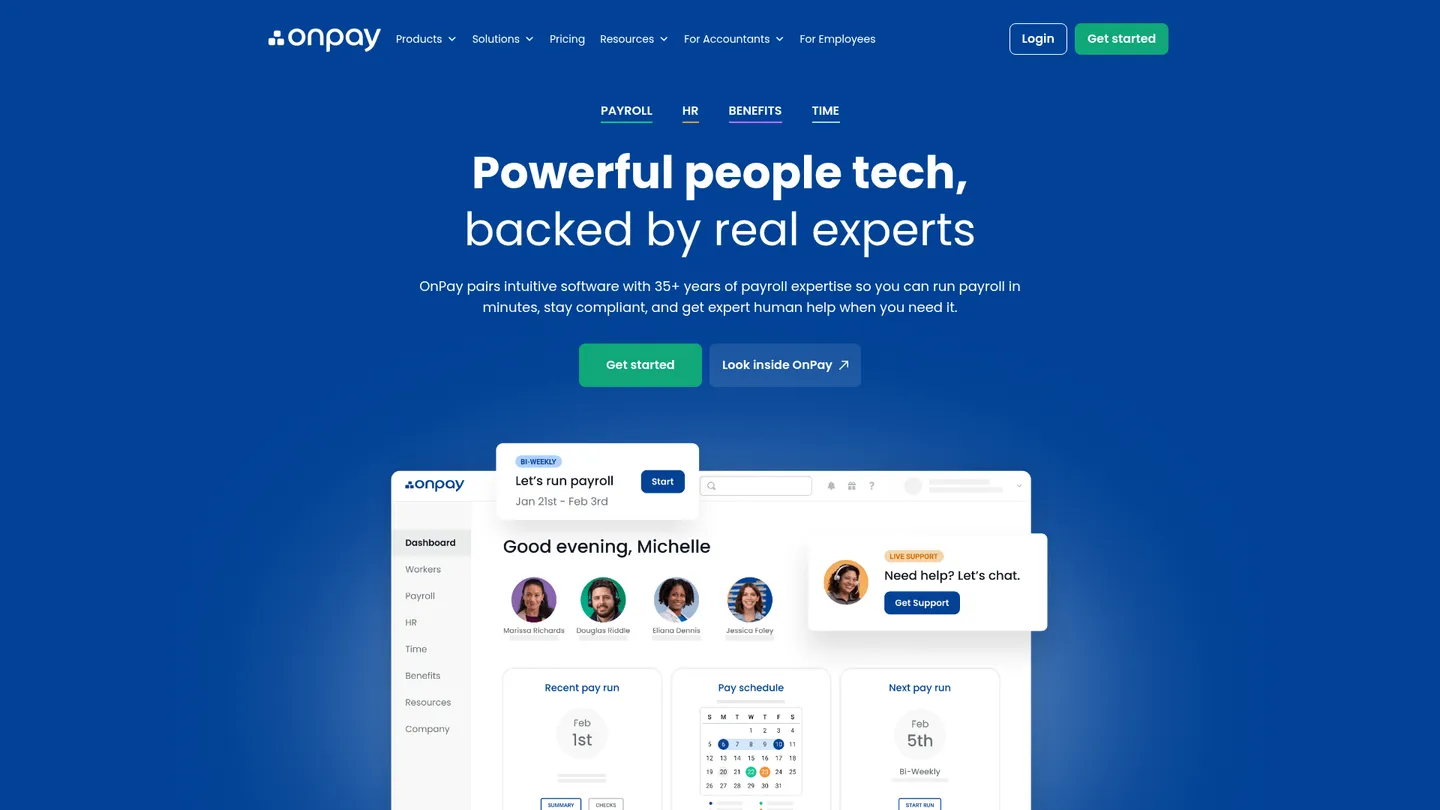
What is OnPay?
OnPay launched in 2009 and is headquartered in Atlanta, Georgia. The company provides payroll, HR, and benefits software to more than 10,000 US clients.
OnPay is a cloud payroll platform for running recurring pay cycles and managing employee records. Employers enter worker, compensation, deduction, and schedule information, then use the system to calculate payroll, pay workers, and handle federal, state, and local tax filings. The service supports W-2 and 1099 workers, direct deposit, checks, prepaid debit cards, unlimited pay runs, garnishments, multiple pay rates, and payroll across all 50 states.
The base service combines payroll processing, tax filings and payments, year-end forms, employee self-service, onboarding documents, permissions, reporting, benefits administration, and accounting integrations. Optional HR and time-tracking add-ons extend the platform with PTO management, onboarding workflows, time clocks, overtime rules, and employee directories. Benefits administration is available through the platform, while more advanced workforce-management requirements may require a larger HR suite.
OnPay primarily serves small and midsize US employers, accountants, bookkeepers, nonprofits, restaurants, professional-services firms, and businesses with multistate payroll. Payroll Essentials costs $49 per month plus $6 per worker, making the one-worker minimum $55 per month. HR, time tracking, compliance resources, and live HR support are optional paid add-ons, and the pricing page advertises a first-month-free offer for new customers.
Key features
Full-service payroll
Processes unlimited payroll runs for W-2 and 1099 workers with multiple schedules, pay rates, deductions, garnishments, and payment methods.
Tax filing and payments
Calculates and files federal, state, and local payroll taxes and includes year-end W-2 and 1099 filings.
Multistate payroll
Supports payroll across all 50 states without an additional state-processing fee and includes automatic state tax registrations.
Employee onboarding
Provides self-service onboarding, eSignature for I-9s and W-4s, offer letters, new-hire reporting, and employee document storage.
Accounting integrations
Syncs payroll data with QuickBooks Online, QuickBooks Desktop, and Xero with configurable account and line-item mapping.
Benefits administration
Supports medical, dental, vision, life, disability, HSA, FSA, and voluntary benefits with enrollment and payroll deduction workflows.
HR and time tracking
Optional modules add PTO management, onboarding workflows, employee directories, time clocks, overtime rules, geofencing, and approved-hours sync.
OnPay pricing
Payroll Essentials is $49 per month plus $6 per worker, so the one-worker minimum is $55 per month. HR costs $15 per month plus $2 per worker, time tracking costs $15 per month plus $4 per worker, compliance resources cost $10 per month, and live HR support costs $65 per month. The pricing page also lists discounted bundles and benefits administration with plan premiums paid separately.
| Plan | Price | What's included |
|---|---|---|
| Payroll Essentials | $49/mo + $6/worker/mo | Full-service payroll, tax filings and payments, unlimited pay runs, multistate payroll, year-end filings, onboarding, employee self-service, reports, benefits administration, and accounting integrations. |
| HR | $15/mo + $2/worker/moAdd-on | HR dashboard, onboarding workflows, task delegation, employee directory, organizational charts, PTO management, document requests, forms, surveys, and document tracking. |
| Time Tracking | $15/mo + $4/worker/moAdd-on | Time cards, clock-in and clock-out, geolocation and geofencing, overtime rules, break tracking, PTO management, and approved-hours sync to payroll. |
| Compliance Resources | + $10/moAdd-on | State-specific compliance alerts, labor-law updates, employee handbook guidance, HR templates, job-description tools, and benefits-document creation. |
| Live HR Support | + $65/moAdd-on | On-demand support from licensed HR professionals by phone, chat, and email. |
Free trial: OnPay advertises a first-month-free offer for new customers.
Pros & cons
Pros
- The base plan includes federal, state, and local tax filings, year-end forms, unlimited pay runs, and multistate payroll.
- Published pricing starts at $49 per month plus $6 per worker, with a one-worker minimum of $55 per month.
- QuickBooks and Xero integrations support automatic pay-run syncing and customizable account mapping.
- Free setup and historical payroll migration can reduce the work involved in switching providers.
Cons
- HR, time tracking, compliance resources, and live HR support increase the monthly cost beyond the payroll base plan.
- The platform is focused on US payroll and does not provide an international payroll or employer-of-record offering.
- Advanced reporting and workforce-management depth may be narrower than those of larger enterprise HR platforms.
- The evidence describes an employee mobile app but does not establish a dedicated employer mobile app.
Who is OnPay best for?
- Small businesses that want payroll tax filing, payments, and year-end forms in one monthly service.
- Employers running payroll across several states without an extra state-processing fee.
- Accountants and bookkeepers that need delegated access and configurable QuickBooks or Xero mapping.
- Nonprofits, restaurants, professional-services firms, and other growing employers adding HR or benefits gradually.
Coverage
Integrations
Notable customers
Frequently asked questions
How much does OnPay cost?
+
Payroll Essentials costs $49 per month plus $6 per worker per month. The one-worker minimum is therefore $55 per month, while HR, time tracking, compliance resources, and live HR support carry separate monthly charges.
How does OnPay payroll work, and how long does setup take?
+
Employers configure workers, pay schedules, deductions, and tax information, then run payroll online. OnPay provides expert-led setup and historical employee and wage-data migration; a G2 results report lists an average time to go live of 0.55 months.
How does OnPay compare with Gusto?
+
OnPay emphasizes full-service payroll, multistate tax filing, accountant access, and published pricing of $49 per month plus $6 per worker. Gusto is a close alternative for small employers, but the choice depends on HR depth, benefits workflows, integrations, and workforce size.
Which integrations does OnPay support?
+
OnPay lists QuickBooks Online, QuickBooks Desktop, Xero, JazzHR, ERGO NEXT Insurance, TurboTax, Middesk, and Traliant in its app directory. Accounting integrations can sync payroll data after each pay run and support configurable account mapping.
Who is OnPay for?
+
OnPay is designed for small and midsize US employers, accountants, bookkeepers, nonprofits, restaurants, professional-services firms, and other organizations with domestic payroll needs. It supports W-2 and 1099 workers, employee self-service, benefits, onboarding, and payroll across all 50 states.
Is OnPay secure and accurate for payroll tax work?
+
OnPay includes automatic federal, state, and local tax filings and payments, automatic state tax registrations, and an accuracy guarantee described on its pricing page. Employers still need to review worker, pay, banking, and tax-rate data before processing payroll.
Sources
Facts and pricing verified on October 19, 2026. Vendors change pricing often, so confirm with OnPay before buying. How we research